Only 20% There
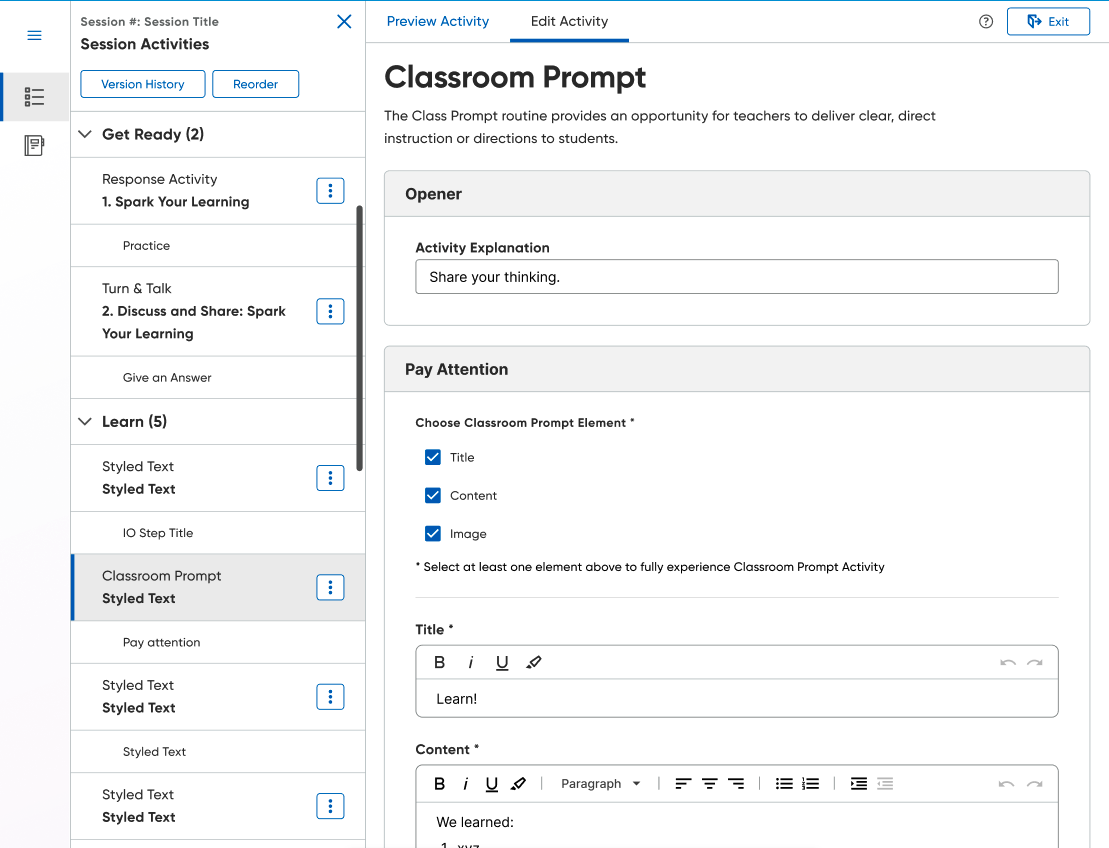
Of Classcraft's originally scoped editing functionality, only about 20% had been built out. Teachers, understandably, expected more. The obvious response would have been to commit more resources toward closing that gap, but reduced engineering capacity on our team meant that a full build-out was unrealistic in the near term. Before committing those resources, resources we didn’t really have, we used the opportunity to pressure-test whether the original plan was even right in the first place.
What we had designed and would have continued to build exposed the same internal authoring forms we used to create Classcraft content to teachers directly. Essentially, instead of giving teachers tools for editing, we were asking teachers to become full-on content authors, giving them granular control over text, images, interactions, etc. This placed a lot of time requirements on teachers with limited availability in their day-to-day. Further, it shifted authorial responsibility onto our users when we were the ones who were supposed to be the content experts.
Give Them What They Want
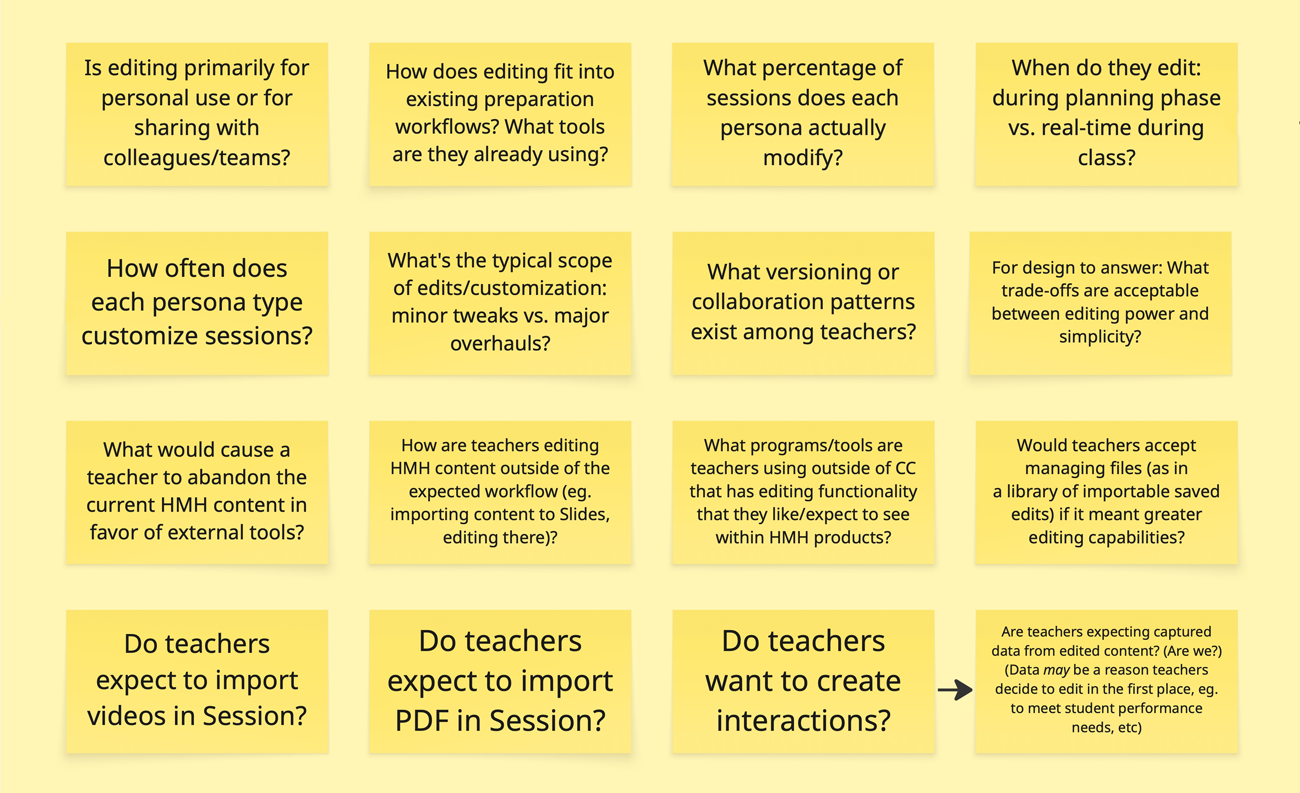
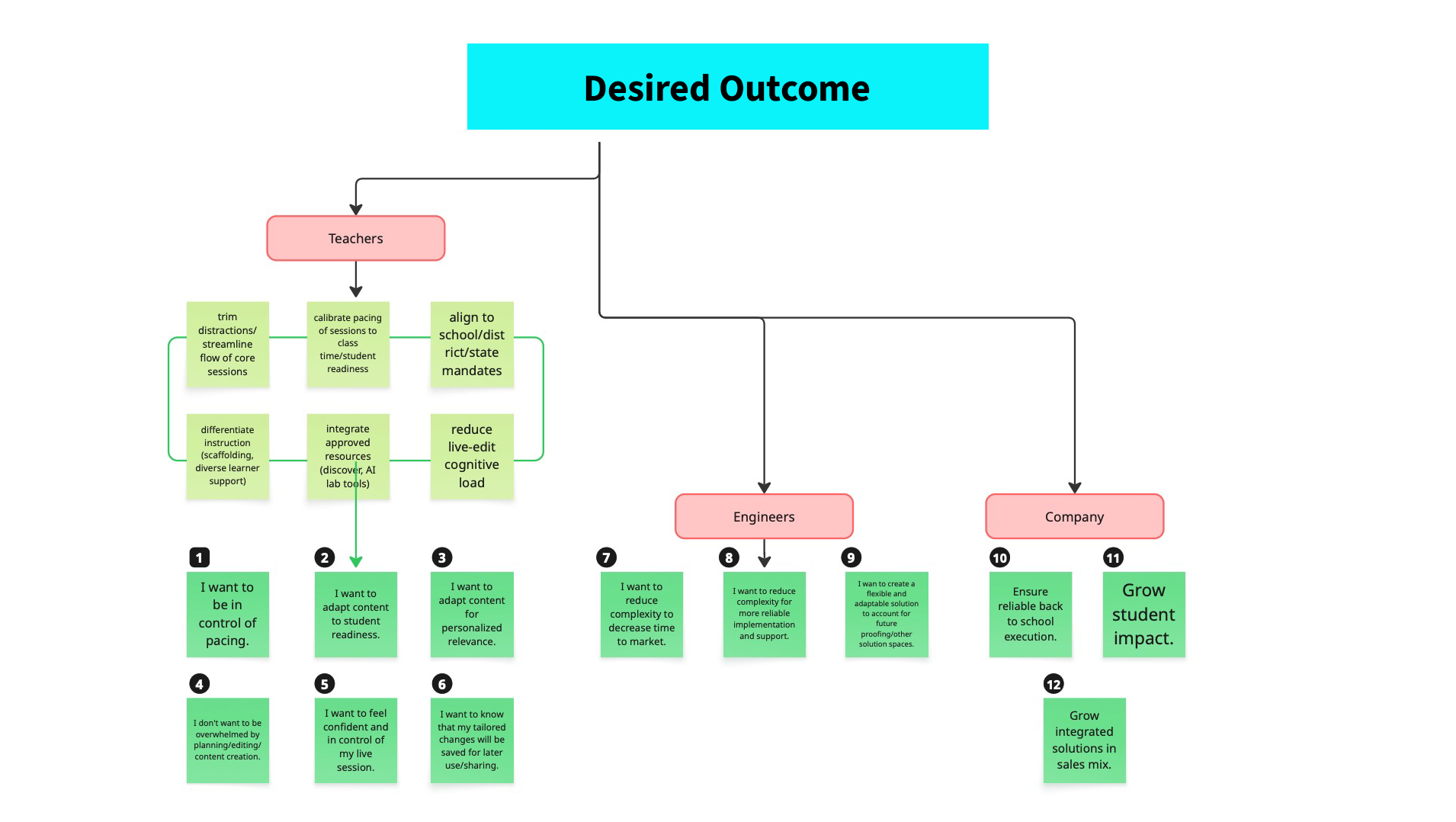
We brought in our research team to help us surface existing feedback from our platform, pull any research that had informed previous design decisions, and gather any relevant external resources they could find around curriculum editing. What they pulled together helped us to reframe the problem and identify four primary tasks, ranked by frequency:
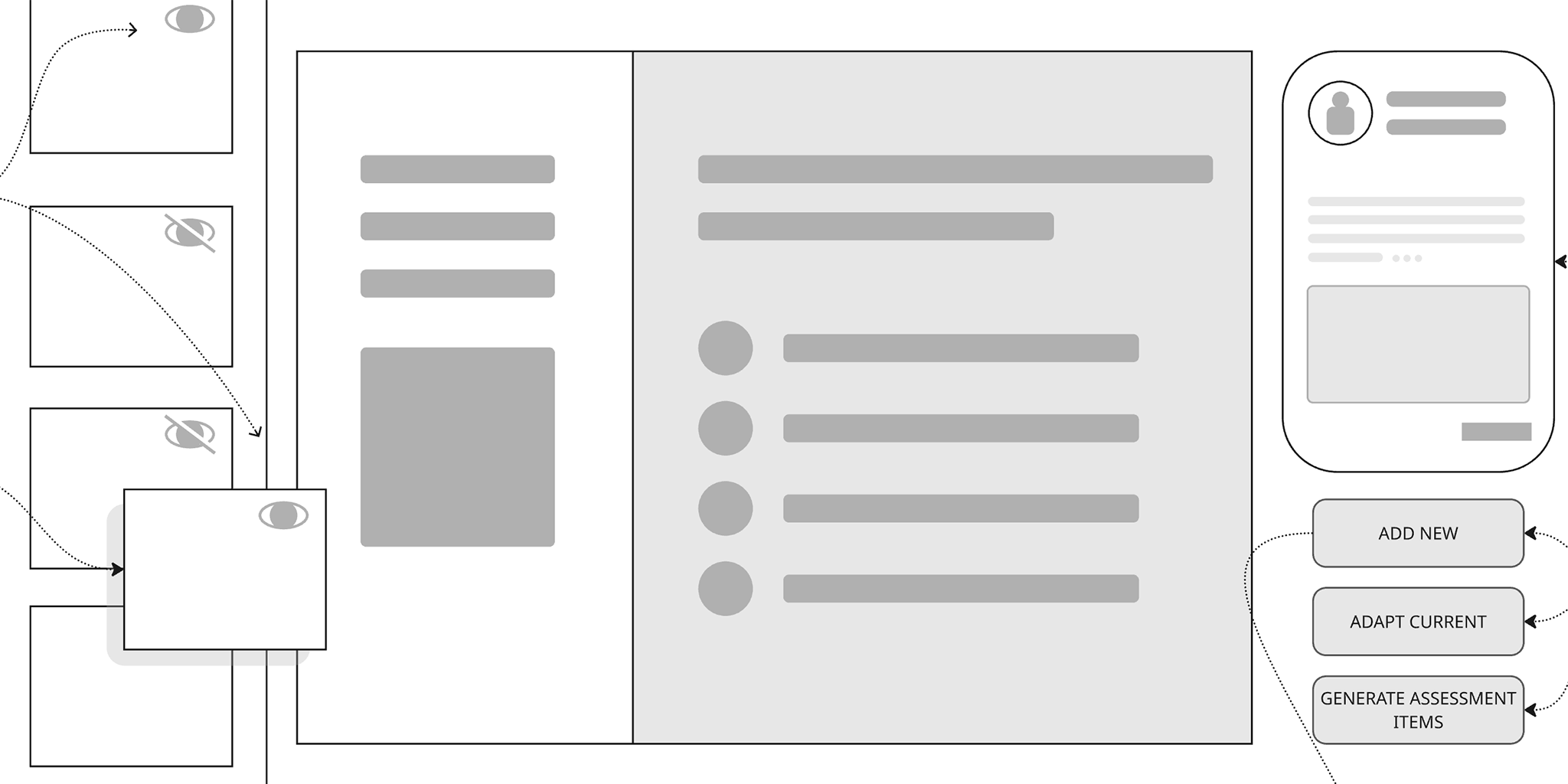
- Deleting/hiding slides was the single most requested capability. Teachers wanted to cut content they didn’t need or were planning to present in a different context.
- Add content came in second. Teachers wanted to supplement our existing content with supplementary resources or differentating scaffolds.
- Resequencing content came in at a close third and covered reordering screens, mergining sessions, or even splitting them across class periods.
- Augmenting content, actually editing things at a granular level, came in last and was not even particularly close to the top three.
That hierarchy completely flipped our editing model. The most wanted feature, turning items on and off, was the simplest to deploy and the least requested feature, granular editing, was what we had been wasting time and resources building.
Will The Real Session Please Stand Up?
A second, less visible problem ran underneath these explorations. Everytime a teacher edited a session using the existing form-based workflow, it created a new version of that session in the database. Managing these variations was one of the reasons this approach was so engineering intensive in the first place. And further, we needed to protect the original HMH authored content, the core curriculum, as the canonical, unmodified version. This was obviously a problem of architecture, and any solution we created needed to address this issue.
The Bigger Picture
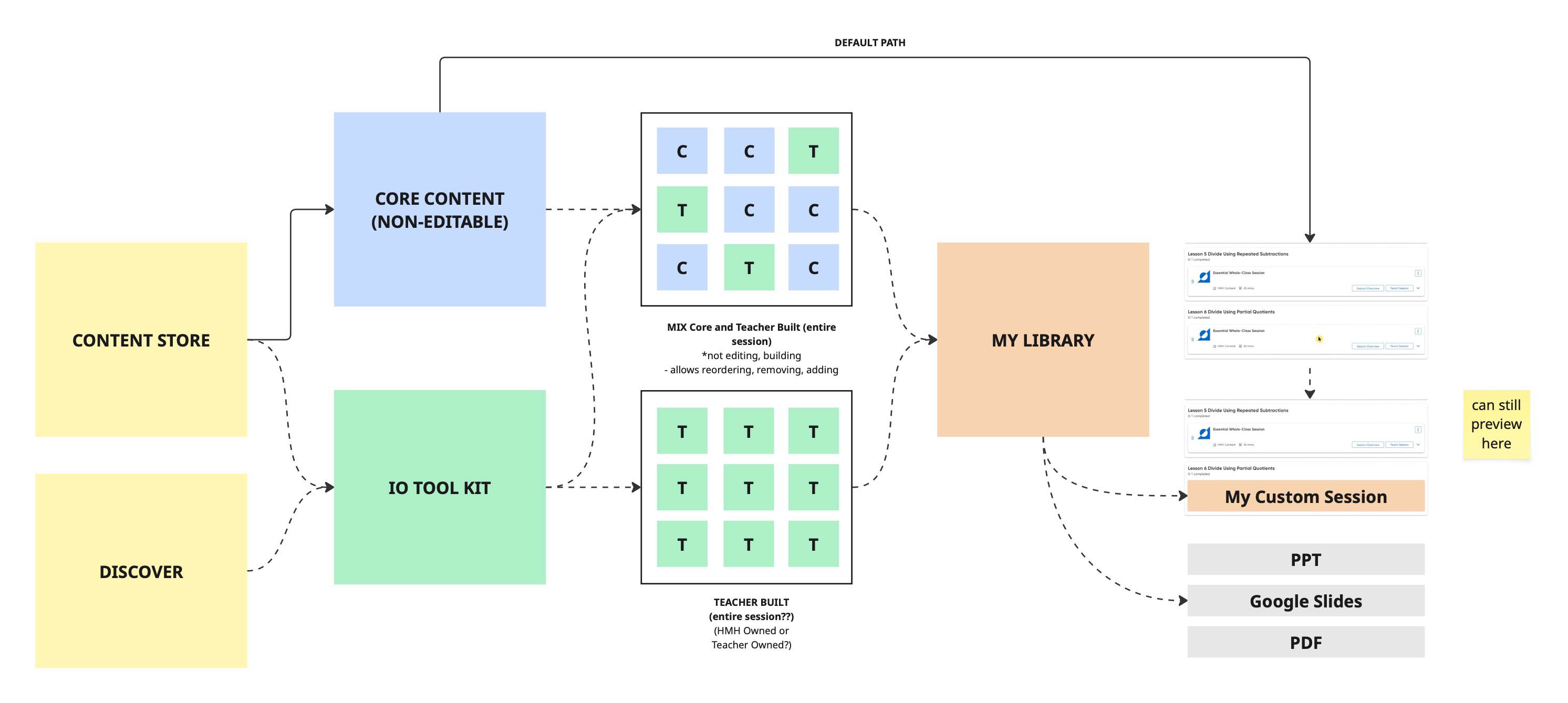
While my team was working through this teacher-facing editing problem, a separate team was building an internal tool called the Content Store. This would become a centralized repository of all HMH-produced content that our learning experience designers could query, and with AI assistance build new lessons dynamically based on subject matter, standards and instructional need. As we compared notes, it dawned on us that if teachers could tap into this repository as well it would give them a powerful, structured way of adding in additional content from an HMH-approved database. Suddenly, we weren’t just rethinking editing from a teacher’s perspective but also navigating a broader platform question around how content gets created, modified, and owned.
The Playlist
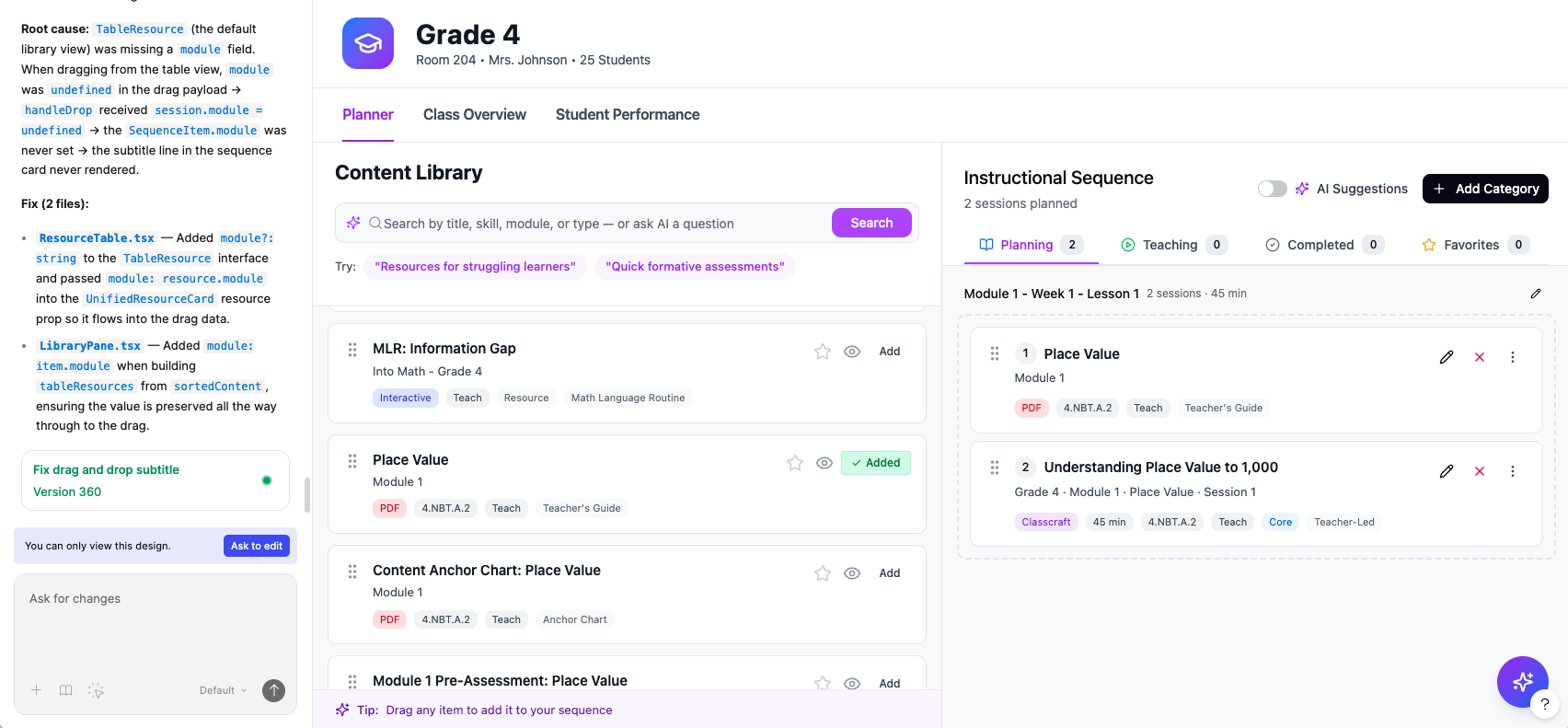
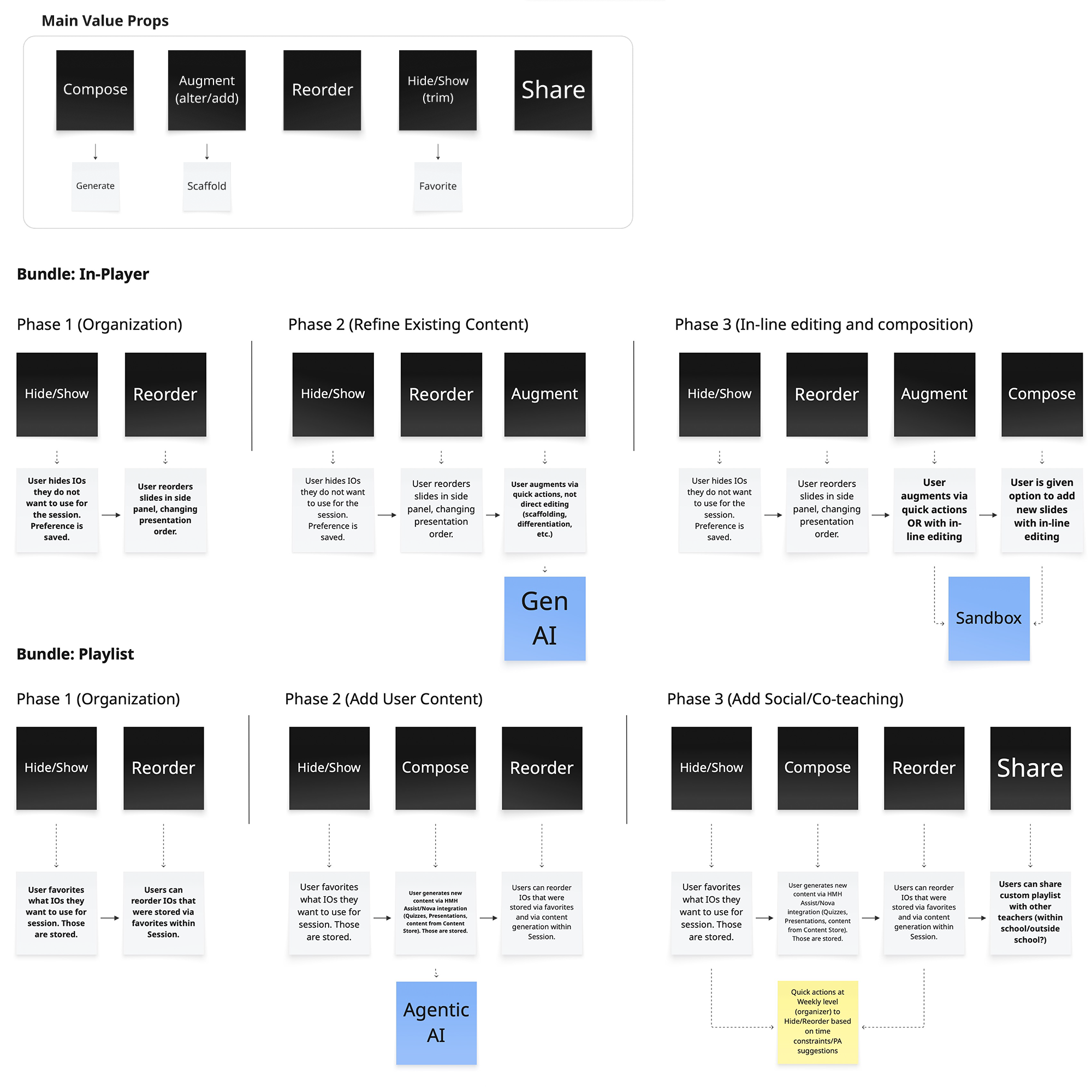
The Content Store enabled us to reimagine how an additive approach to editing might function but we still needed a way to address our versioning issue. To that end we developed the playlist model. Instead of editing the session directly, teachers would curate from it, building a new, teacher-owned sequence in parallel. This left the original source untouched, but shifted the editing model to something more like: here’s your content library, now build your ideal session from it. And because teachers were building something new rather than modifying the existing, we wouldn’t have multiple versions of the same session floating around needing to be managed.
This also reduced the engineering load. Favoriting content and saving them into a reordered sequence turned out to be a lighter weight operation compared to building and maintaining backend forms for structured content. There would be a slight lift in the construction of the new user interface, but beyond that the technical lift was more manageable, largely in metadata and user preferences.
Finally, this new approach also respected the wants and needs of teachers as identified by our initial research. Teachers aren’t authors! They don’t want to write curriculum, they just want to teach their class as effectively as possible. The playlist model respected that distinction by giving them control over the sequence, providing them with access to additional content, and not burying everything in a mountain of forms.
Where It Landed
Once again, user testing confirmed that this new approach hit our users’ key needs without overburdening them with options. In an A/B test, teachers vastly preferred the new model to the existing, greenlighting our new approach as the way forward. Like the Session Organizer, the updated editing workflow is set to hit the market for back to school 2026, and we are hopeful that the two updates combined will be seen as a huge win for both users and the company.